Table of Contents
Finance leaders worry less about whether an AI agent can reach SAP than about what it is allowed to do once it gets there. This guide explains how an AP agent posts supplier invoices into SAP Business One or S/4HANA, which rights it needs, which invoices wait for a person, and what record it leaves behind.
Key Takeaways
- Yes. An accounts payable agent can create a posted supplier invoice document in SAP through the same published interfaces your other integrations use, not by driving a screen with a robot.
- It posts under a named service user with its own authorizations. Whatever that user cannot do, the agent cannot do. Your existing release strategy and tolerance limits still apply.
- Posting a payable and releasing a payment are separate acts. The second should stay with a person, and in a well-designed deployment the service user has no payment authority at all.
- Not every invoice should post automatically. The useful design decision is the routing rule, which invoices clear, which wait, and what evidence accompanies each.
- The audit question is not “is the AI accurate?” It is “who authorized this document, on what evidence, and can we reconstruct it?” That is answerable, and it is what your auditor will ask.
If you run SAP, this is usually the first real question, and it comes before pricing, before accuracy claims and certainly before a demo. Everything else a vendor says about invoice automation is decoration if the output is a spreadsheet your team then keys into the ERP by hand.
It is also answered badly rather often. “Fully integrated with SAP” can mean anything from a supported interface to a screen-scraping script running on a laptop under someone’s desk. So here is the plain version: what posts, how, under whose authority, and what is recorded.
Can AI post invoices directly into SAP?
Yes, an AP agent can create supplier invoices in SAP through its published interfaces: the Service Layer or DI API in SAP Business One, and OData or BAPI-backed services in S/4HANA. It acts as a named service user, and SAP applies the same checks it applies to a human clerk.
The important word in that paragraph is enforces. The agent is not granted an exemption. It submits a document; SAP applies the same checks it applies to your AP clerk, including account determination, tax codes, blocking rules and release strategy. If the document would be blocked when a person keyed it, it is blocked when the agent posts it.
What does “posting” actually mean here?
A posted invoice is a real SAP document with a document number, tax determination and a general ledger effect, not a file queued for import. Some teams configure high-value invoices to be parked or staged for a controller to release; say which behaviour is the default and which is a configuration choice.
Posting means a real document exists in SAP with a document number, line items, tax determination and a general ledger effect: a supplier liability recorded against the correct accounts. It is not a draft, a staging table or a parked entry that somebody still has to convert.
A parked or held document is a legitimate design choice for part of the invoice population: some finance teams want everything above a value parked for a controller to release. That is configuration, not a technical limit, and worth deciding consciously rather than discovering in week three.
What should concern you is a system that calls something “posted” when it has only written a row to its own database and queued a file for someone to import later. Ask to see the SAP document number the process produces, in a customer’s system, during the demo.
How does the agent get posting rights?
The agent uses a service user the customer creates and controls. It can create supplier invoices against open purchase orders in set company codes, read vendor master, POs, goods receipts and tax configuration, and nothing more: no vendor master changes, no payment or bank authority, and no editing or deleting posted documents. Corrections are made by reversal.
Through a service user you create, in your SAP system, with authorizations you define, and can revoke in a minute without anybody’s cooperation. This is the same mechanism your other integrations already use. There is no special access, no shared named-user credential, and no reason for an agent to hold more rights than the narrowest set its job requires.
A sensible authorization profile for an AP agent is narrower than most people expect:
- Create supplier invoice documents against open purchase orders, within defined company codes and document types
- Read access to vendor master, material master, purchase orders, goods receipts and tax configuration
- No vendor master creation or change rights: a payment-fraud control worth holding on to
- No payment proposal, payment run or bank file authority of any kind
- No ability to alter or delete a posted document; corrections go through reversal, which is itself recorded
If the agent is not allowed to create a vendor, it cannot be socially engineered into creating one. Most of the control conversation resolves itself once the profile is written down.
Which invoices should post automatically, and which should wait?
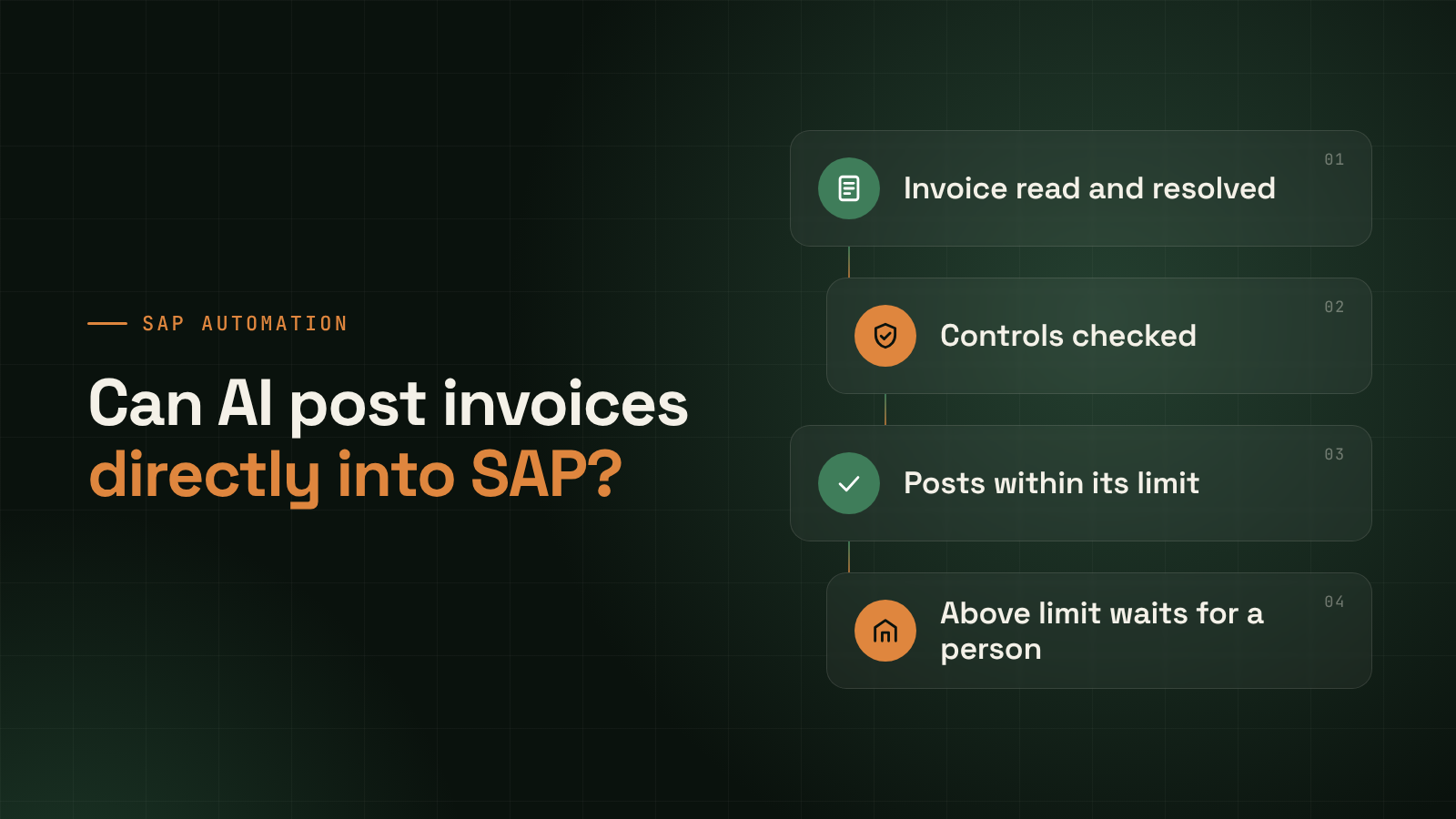
Clean, in-tolerance, PO-backed invoices can post automatically. Invoices above a value threshold, with a variance, a missing goods receipt, a tax mismatch, a suspected duplicate or a new vendor do not post; they go to a person with the evidence attached.
| Invoice situation | What should happen | Why |
|---|---|---|
| PO-backed, three-way match clean, inside tolerance, tax determination resolved | Post automatically | Nothing a human adds changes the outcome |
| Clean match but above an agreed value threshold | Post as parked, or post and flag for review | Value-based control your approval matrix already implies |
| Quantity or rate variance outside tolerance | Do not post: exception with evidence | Commercial decision, belongs to procurement or the buyer |
| Goods receipt not yet posted | Do not post: park against expected receipt, chase stores | The control is working correctly; the paperwork is late |
| Tax treatment differs from master data or place-of-supply logic | Do not post: exception to finance | Silent correction of tax is exactly what you do not want |
| Suspected duplicate of an existing document | Do not post: exception with the matching document referenced | Cheapest error to prevent, most expensive to recover |
| New supplier not in vendor master | Do not post: route to master data owner | The agent has no vendor creation rights by design |
The pattern is consistent. Where the answer is determined by data the agent can verify, it acts. Where the answer requires a commercial judgment or a control decision, it prepares the case and hands it over with the working shown.
What does the audit trail record?
Every document the agent posts carries the service user as its creator, with the standard SAP change documents and document history that any posting generates. Alongside that, the agent should hold its own evidence record: the source invoice file, the extracted field values, the matched PO and goods receipt, the tolerance applied, and the reason the document qualified for automatic posting.
Auditors rarely ask whether a model is accurate. They ask who authorized a transaction, under what delegated authority, on what evidence, and whether the sequence can be reconstructed months later. All four are answerable here, and the answers are more complete than they are for a manual process: nobody keeps a record of why a clerk decided an invoice looked fine.
Two details worth insisting on: the evidence record should be retrievable from the document number rather than only from the agent’s own interface, and reversals should be visible as reversals. A system that quietly corrects its own postings has removed the thing you were auditing.
Does it differ between SAP Business One and S/4HANA?
The principle is identical; the plumbing is not. Both expose supported interfaces for creating supplier invoices, and both enforce their own authorization and control model on anything submitted through them.
| SAP Business One | S/4HANA | |
|---|---|---|
| Typical interface | Service Layer (REST) or DI API | OData services, BAPI-backed interfaces |
| Authorization model | License and authorization settings per user | Roles and authorization objects per service user |
| Control to lean on | Approval procedures, document settings | Release strategy, tolerance keys, blocking rules |
| Usual practical constraint | License type and user-defined field handling | Role design and transport governance |
| Localization to confirm | Country localization in use for your tax fields | Country localization and tax configuration in use |
On both, the constraints that slow a deployment are almost never the interface. They are master data quality, the country localization and tax configuration, and how long it takes your Basis or partner team to approve the service user’s role.
What this does not do
It does not release payment. Posting a liability and authorizing money to leave the business are different acts with different consequences. The service user should hold no payment authority, which means the question cannot arise even in error.
It does not bypass your controls. If a document would be blocked for a human, it is blocked for the agent. Anyone offering to post around a block is offering to remove a control you presumably installed for a reason.
It does not create or change master data. Vendors, materials, tax codes and bank details stay with their owners. The agent surfaces the gaps; it does not fill them.
It checks the supplier tax ID against your vendor master, the tax code and applied rate against your material master, and the tax treatment against place of supply. Differences become exceptions for finance, not silent corrections.
It does not reach a touchless rate of 100%. A system that never raises an exception is either processing an unusually clean invoice population or hiding something. The realistic gain is that routine invoices clear without a human and genuine problems reach the right person with the evidence attached.
Frequently asked questions
Does AI posting into SAP require a custom add-on or modification?
No. Posting is done through SAP’s published interfaces: the Service Layer or DI API on Business One, OData and BAPI-backed services on S/4HANA. These are the same mechanisms third-party integrations already use. No core modification, no change to your SAP objects and nothing that complicates an upgrade.
What stops the agent posting a fraudulent or duplicate invoice?
Three things, in order. The service user has no vendor master rights, so payments cannot be redirected to a new bank account. Every posting must match an open purchase order and goods receipt within tolerance. And duplicate detection runs against the documents already in SAP, with suspected duplicates raised as exceptions rather than posted and reversed later.
Can we switch it off or restrict it without calling the vendor?
Yes, and you should confirm this before signing anything. The agent posts as a service user in your system. Deactivating that user or stripping its authorizations stops all posting immediately, from your side, with no dependency on the supplier. Any arrangement that does not work this way is a governance problem.
Will it handle local tax and e-invoice fields correctly?
Only if it was built for the tax rules where you operate, and you should test this rather than accept an assurance. Ask specifically how it validates the supplier tax ID, determines place of supply and tax treatment, applies withholding rules where they exist, and checks the e-invoice identifier where the supplier is covered by a mandate. Thresholds and rules change: confirm current requirements with your local tax authority.
How long does it take to get posting working in our SAP system?
The interface work is rarely the long pole. In most deployments the schedule is set by creating and approving the service user role, confirming the country localization and tax configuration, agreeing the routing rules with finance, and cleaning the vendor and item master records that generate most early exceptions.
Does this replace our accounts payable team?
It changes what they do. Keying, matching and chasing shrink substantially. Exception judgment, supplier relationships, master data quality and control ownership do not, and those are the parts of the job that need experience. The realistic claim is redeployed effort, not removed headcount.
Does the AI agent need SAP admin access?
No, it should run as a dedicated service user that your team creates and controls, with narrow authorizations: create supplier invoices against open POs, read vendor master, POs, goods receipts and tax settings, and nothing else. It has no master data changes, no payment or bank authority, and no right to edit or delete posted documents. You can switch it off by deactivating that user.
What happens if the AI posts a wrong invoice?
It is handled like any other wrongly posted invoice: reversed and re-entered, with both documents visible in SAP. The agent’s evidence record (source file, extracted fields, matched PO and goods receipt, tolerance applied, reason for posting) shows why it posted, so you can see whether the cause was bad data, a loose tolerance or a routing rule. Fix that cause, not only the document.
Can you reverse an AI-posted invoice?
Yes, posted documents are not edited or deleted. A correction is a reversal or cancellation, or a credit memo, depending on your SAP process. If the posting period is closed, your finance team decides how the correction is booked, as it would for a human-entered invoice.
Does AI posting work with SAP Business One approval procedures?
It can, but agree the behaviour in advance. In Business One, when an approval template applies, a new document is saved as a draft with pending status, and after final approval it has to be added to the system. Decide with your SAP administrator whether the service user adds approved drafts or a person does.
What happens when SAP rejects a document?
SAP returns an error and nothing is posted. The invoice goes to an exception queue with SAP’s message and the reason, so the right owner can fix it and resubmit. Typical causes are a closed posting period, a blocked vendor, a missing tax setting or a wrong account. The agent does not work around SAP’s checks.
Does AI posting bypass SAP’s approval limits and tolerances?
No, posting goes through SAP’s published interfaces (the Service Layer or DI API in Business One, OData or BAPI-backed services in S/4HANA), so SAP applies the controls you have configured. If a document would be blocked when keyed by a clerk, it is blocked for the agent too. Routing rules decide which invoices post automatically and which wait for a person.
Where to go next
For the commercial picture, what a deployment looks like in an SAP environment, what it integrates with and how it is scoped, start with SAP invoice automation.
Related reading:
- AI accounts payable agents: what actually changes in your invoice workflow: the end-to-end AP workflow and the steps that stay with your team.
- GRN invoice matching: the word global AP vendors don’t use: what happens before posting, and why most exceptions are timing rather than disputes.
- AI agent governance: approvals, audit trails and human-in-the-loop controls: how agent actions are classified by consequence, authorized and evidenced.