AgentProcurement agent · Procurement and orders
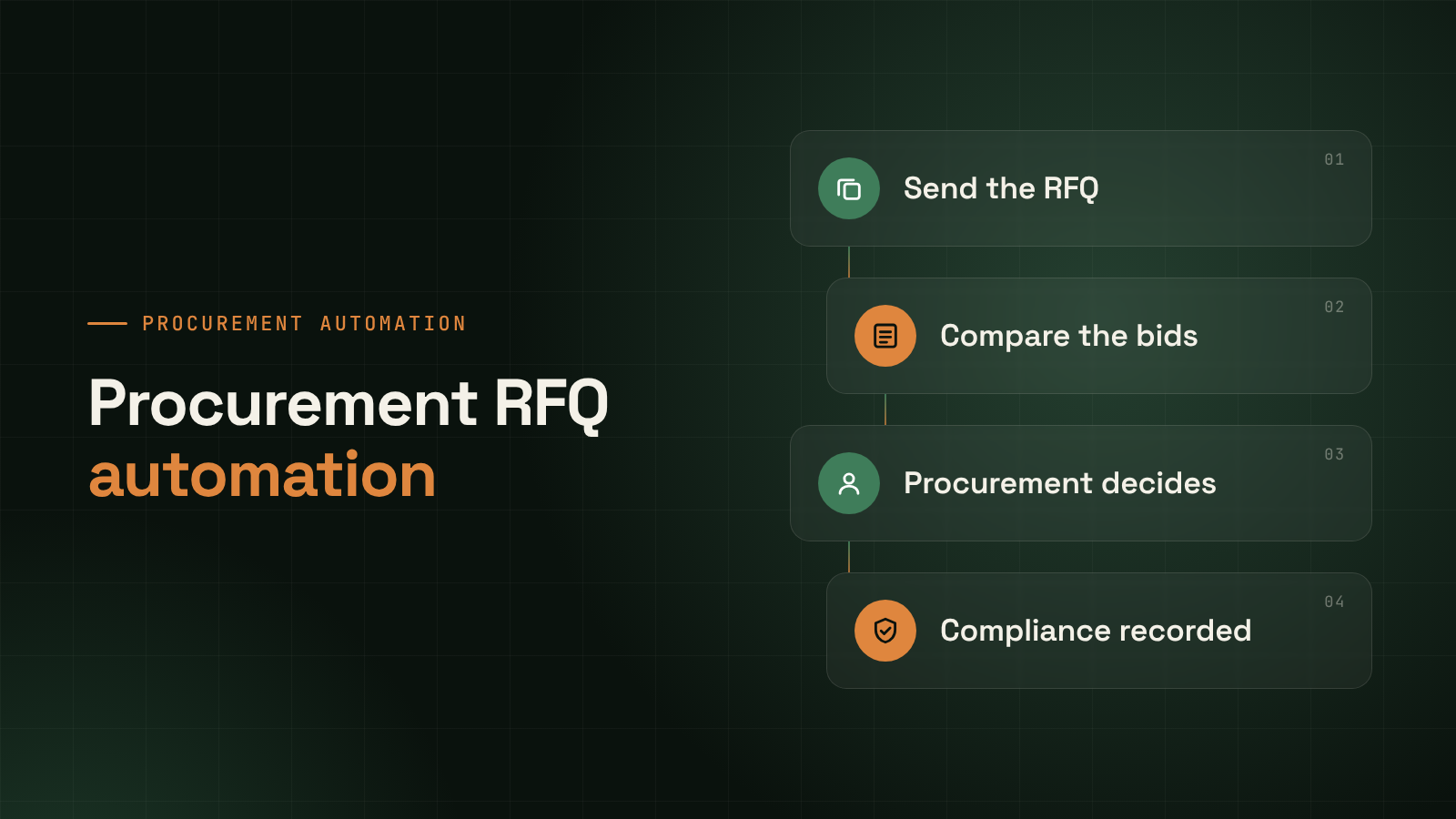
Procurement and RFQ automation, from indent to purchase order
The agent reads each purchase indent, sends RFQs to your approved vendors and chases every quote over email, WhatsApp or an AI voice call. It negotiates within the target, floor and walk-away your buyer sets, lines every quote up on one comparative statement with landed cost and terms, and after your buyer awards, stages the PO in SAP for approval. The agent never awards and never commits.
Free · 30 minutes. We run the agent on a sample indent like yours and talk through your vendor list and approval matrix.
01In short
What is RFQ automation?
RFQ automation is software that sends requests for quotation to approved suppliers, collects and compares their quotes, and moves the winning bid to a purchase order. The Corpogents procurement agent adds AI supplier negotiation within the limits your buyer sets, over email, WhatsApp or an AI voice call, and after your buyer awards, stages the purchase order in SAP for approval.
| Reads from | Purchase indents and requisitions in SAP, your approved vendor list, rate contracts, price history and certificate of analysis parameters |
|---|---|
| Works in | SAP Business One (HANA or SQL Server) and SAP S/4HANA |
| A person approves | Every award, through your approval levels. The PO is then staged in SAP for approval, and the agent never commits. |
| Negotiates | Within the target, floor and walk-away your buyer sets, over email, WhatsApp or an AI voice call |
Best of both worlds
Product speed. Custom fit.
You shouldn’t have to choose between a rigid software box and a year of custom build. The Procurement agent is both.
Switch it on
A proven agent, ready to run. Deployment is configuration and testing, not a build.
Shape it to you
Your rules, approval limits and SAP setup are agreed in Map, and anything specific to your business is built around you, at product speed.
02The problem
Manual RFQ chasing is a tax on every purchase
An indent lands and the RFQs go out one phone call at a time. Quotes come back across inboxes and WhatsApp chats, someone retypes them into a comparison sheet late in the evening, and the order goes to whoever replied rather than whoever was best.
The leakage compounds purchase by purchase. Rate contracts expire unnoticed, prices go unbenchmarked, spend drifts to vendors outside the approved list, and there is rarely time for a second round of negotiation on anything but the largest orders. The small purchases, which add up to most of the tail, are never countered at all.
An e-procurement portal does not fix this on its own. Vendors who already answer your email and WhatsApp will not log into a new system to quote, so the portal ends up covering a fraction of the spend and the rest goes back to the phone.
03How the agent works
How the procurement agent works
Procurement automation that runs the RFQ the way a disciplined buyer would: in parallel across every approved vendor, handing your buyer the comparison rather than the chase.
- 01 · Reads
Reads the indent or purchase request
A purchase indent or requisition is picked up from SAP or from the purchase mailbox. The agent reads the item, grade, quantity, delivery date and terms the way a buyer would, checks for a live rate contract that already covers the item, and pulls your price history for the item as the benchmark.
- 02 · Sends
Sends RFQs to approved suppliers
RFQs go to the vendors on your approved list for that item, over the channel each vendor actually answers: email, WhatsApp or an AI voice call for the vendor who only picks up the phone. Each vendor gets one conversation at a time, a quote link that expires on the date you set and reminders before it does, and quality parameters from your certificate of analysis go out with the RFQ. Every send, reminder and reply is logged against the indent.
- 03 · Negotiates
Negotiates within your limits
Once quotes land, the agent runs counter rounds toward the target your buyer set from your price history, inside the floor and walk-away of the mandate, and drops a vendor that stays above the walk-away. It never reveals the target, never names a competitor, replies in the vendor’s own language and stops after the number of rounds you allow. It never accepts a price or commits to an order: it locks each vendor’s best confirmed rate for your buyer, and every counter is logged.
- 04 · Compares and stages
Compares quotes on your criteria and stages the PO for your award
Every quote is lined up on one comparative statement: landed cost with freight and taxes, rate, incoterms, delivery schedule, price validity, availability, whether the vendor is the manufacturer or a trader, and the vendor’s record. Your buyer awards from that sheet through your approval levels, and after the award the PO is staged in SAP for approval. The agent never awards and never commits.
- 05 · Learns
Learns from every award
Each award adds to the price history: what each vendor quoted, how fast they replied, how far they moved and what they delivered on. The next RFQ for the same item starts from a better benchmark and a sharper target.
Illustration: one indent at a typical mid-size plant
Say a plant raises an indent for twelve tonnes of a raw material it buys every quarter. The agent sends the RFQ to the four approved vendors the same hour. Four quote by email or WhatsApp within a day, one is chased twice, and one vendor who only ever picks up the phone is called by the agent and quotes on the call.
On day two the agent counters the top three within the limits the buyer set, and one vendor revises down to a new best landed cost. On day three the buyer opens one comparative statement with six quotes and every round logged, awards, and the draft PO is staged in SAP for approval.
Illustration of how the workflow runs. Not a measured client result.
- Day 0 09:10Read indent IND-2214 from SAPButyl rubber, 12 MT, needed in three weeks · no live rate contract · price history pulled for the targetSAP B1
- Day 0 09:14Sent the RFQ to 4 approved vendors2 by email, 1 on WhatsApp, 1 by AI voice callEmail · WhatsApp · Voice
- Day 1 11:30Chased 2 pending vendorsReminder on WhatsApp · second call booked for the vendor who did not pick upWhatsApp · Voice
- Day 2 10:05Counter round 1 to the top 3, within your limitsTarget from price history · floor and walk-away set by the buyerAgent
- Day 2 16:40Vendor B revised to the new best landed costEvery revision logged on the comparative statementEmail
- Day 3Waiting for your buyer to awardFour quotes on one sheet. The draft PO is staged in SAP for approval only after the award.You
04Compared
Procurement agent vs an e-procurement portal vs spreadsheets
| What matters | Corpogents Procurement agent | E-procurement portal | Spreadsheets and phone calls |
|---|---|---|---|
| What vendors have to do | Reply by email, WhatsApp or a phone call | Register and quote in the portal | Reply when someone calls |
| Chasing | Every pending quote chased on a cadence, with a voice call for vendors who only pick up | Automated reminders to registered vendors | Whoever remembers |
| Negotiation | Counter rounds within the target, floor and walk-away your buyer sets | Reverse auctions, where vendors agree to join | When there is time, on the largest orders |
| Comparison | One comparative statement with landed cost, built as quotes arrive | Portal bid tabulation | Retyped into a spreadsheet |
| Who awards | Your buyer, from the sheet | Your buyer | Your buyer |
| Who runs and tunes it | We do, as a managed service | Your team, with vendor onboarding | Your team |
05Control
Your buyer awards every order
You decide how far the agent goes on its own. It sends RFQs and chases from day one, and counters start once your buyer has set the mandate for an indent.
It sends, chases and negotiates within your mandate. It never awards an order.
A mandate before any counter
Before the first counter goes out, your buyer sets the target price, the floor, the walk-away and the round limit for that indent. The agent never reveals the target, never accepts a price and never commits to an order, and the final award is always made by your buyer.
- Vendors
Only your approved list. RFQs go to the vendors you have approved for that item and plant. The agent cannot add a vendor, change a rate contract or move spend outside the list.
- Record
Every round on the record. Each send, reminder, call, counter and revision is logged against the indent with who, what, when and why. Your audit sample is built as the agent works.
- Access
Access your IT team controls. Agents run in the Corpogents cloud and connect to your SAP through a user your IT team creates and can revoke, with only the permissions you grant. We never train models on your data.
06Integrations
Works with SAP Business One and SAP S/4HANA
Indents come from the SAP you already run, and after your buyer awards, the draft PO goes back into it for approval. Vendors keep the channels they already use, with nothing new to install.
- ERP
- SAP Business One (HANA or SQL Server) and SAP S/4HANA.
- RFQs, reminders and counters from a purchase mailbox you own, with every thread filed against the indent.
- RFQs and counters on WhatsApp Business for vendors who quote there, with quotes read from the messages and photos they send, or captured on a secure quote link, nothing to log into.
- AI voice call
- For vendors who only pick up the phone: on a call the agent asks for the quote and terms on behalf of your purchase team and records them with the call.
- Tax and landed cost
- GST and VAT on purchase orders under the rules for the countries you operate in, with freight, duties and other landed cost lines treated the way your costing treats them.
- Approvals
- Your approved vendor list, approval matrix and rate contracts, as configured in SAP or supplied by your purchase team.
07What changes
Where small percentages become serious profit
- Every quote is chased and every rate is countered before award, including the small purchases nobody had time to negotiate.
- The RFQ-to-PO cycle shortens from weeks of chasing to a few days, because the RFQs go out in parallel and the comparison builds itself.
- Spend that drifted outside the approved list surfaces at the indent, not at the audit.
- Your buyer spends the time on the award and the vendor relationship rather than on retyping quotes.
- Materials are usually the largest line on a manufacturer’s costs, so a fraction saved on each purchase reaches profit without one extra unit sold.
- A price history builds with every award and becomes the benchmark for the next one.
08FAQ
Procurement automation, answered
Can an AI agent negotiate with suppliers?
Yes, within limits a person sets. That is AI supplier negotiation done safely: before any counter goes out, your buyer sets a mandate for the indent: a target price, a floor, a walk-away and a round limit. The agent runs counter rounds against the best quotes using your price history as the benchmark, never reveals the target, never names a competitor and logs every round. It never accepts a price or commits to an order, and the award is always made by your buyer.
Will vendors respond to it?
Vendors see a normal purchase conversation on the channel they already use, in their own language: an email, a WhatsApp message or a phone call. On a call the agent asks for the quote and terms on behalf of your purchase team and records them with the call. There is no portal to register on, so vendors have nothing new to learn.
What is a comparative statement?
The one-sheet comparison a purchase team builds before awarding an order: every vendor’s quote lined up with landed cost, taxes, freight, delivery schedule, price validity and availability. The agent builds it as quotes arrive and updates it through every negotiation round, so nobody retypes a quote into a spreadsheet.
Can the agent award an order or release a PO?
No. The agent sends, chases, negotiates and compares, and it never awards and never commits. After your buyer awards, the PO is staged in SAP as a draft for approval, and only a person releases it. The agent also cannot add a vendor to the approved list or change a rate contract.
Which ERPs does it work with?
We work with SAP Business One (HANA or SQL Server) and SAP S/4HANA today. Indents and price history are read from SAP, and after your buyer awards, the draft PO is staged back into it for approval. If you run another ERP, tell us when you book.
Is this purchase order automation?
It automates everything before the purchase order: the RFQ, the chase, the counter rounds and the comparison. The award stays with your buyer, and after the award the PO is staged in SAP for approval, so nobody retypes a vendor quote into a purchase order.
What does our purchase team do once the agent is running?
They set the mandate, take the vendor conversations that need a person, award from the comparative statement and own the approved list and the rules. The sending, chasing and retyping goes away. The judgement about who gets the order stays with them.
How long does it take to go live?
The agent already exists, so deployment is configuration and testing rather than a build: your SAP connection, your approved vendor list, your approval matrix and rate contracts, and the channels your vendors use. You get a dated plan at the end of Map, and the agent runs real indents alongside your buyers before it sends anything to a vendor.
NextBook a demo
See the agent run an RFQ like yours
In the demo we run the agent on a sample indent like the ones your plant raises, show you the RFQ going out, the chase, a counter round inside your limits and the comparative statement your buyer would award from, and talk through your vendor list, your SAP setup and your approval matrix. You’ll leave knowing whether procurement is the right place to start.
Free · 30 minutes. No data needed from you for the demo.
Related guides