Table of Contents
Key takeaways
- AI accounts payable means an agent that handles the repetitive stages of the invoice cycle, from capture to posting, and hands people only the cases that need judgment. It changes who does what far more than it changes what has to be done.
- Five stages change: capture, validation and coding, matching and exceptions, supplier communication, and approvals and posting. Each has a before and an after, set out in the table below.
- The biggest shift is in exceptions. They stop arriving as a pile in a shared mailbox and start arriving one at a time, with the cause named and an owner assigned.
- Some things do not change on purpose: your approval authority, your tolerance policy and payment release stay with people.
- Judge any agent by its handling of the awkward invoice, not the clean one. Ask to see a short delivery, a rate variance and an invoice with no order.
AI accounts payable is the use of software agents to perform the repetitive work in the invoice-to-pay cycle, reading invoices, coding them, matching them to orders and receipts, chasing exceptions and posting to the ERP, while people keep the decisions that carry authority. The change is best understood by walking the workflow, not by listing features.
Imagine you run accounts payable at a distribution company in Singapore. Invoices arrive through a shared mailbox, two supplier portals and the occasional courier envelope. Someone on your team opens each one, keys the header and lines into SAP, hunts for the order, and forwards queries to buyers by email. Approvals wait in inboxes, and by the time the invoice posts, the month has moved on. Nothing in that description is a skills problem. It is a handling problem, and handling is what an agent absorbs.
This article is the before-and-after view. For the technical mechanics see how AI invoice processing works, and for sequencing a program see how to automate accounts payable.
What does an AI accounts payable agent actually do?
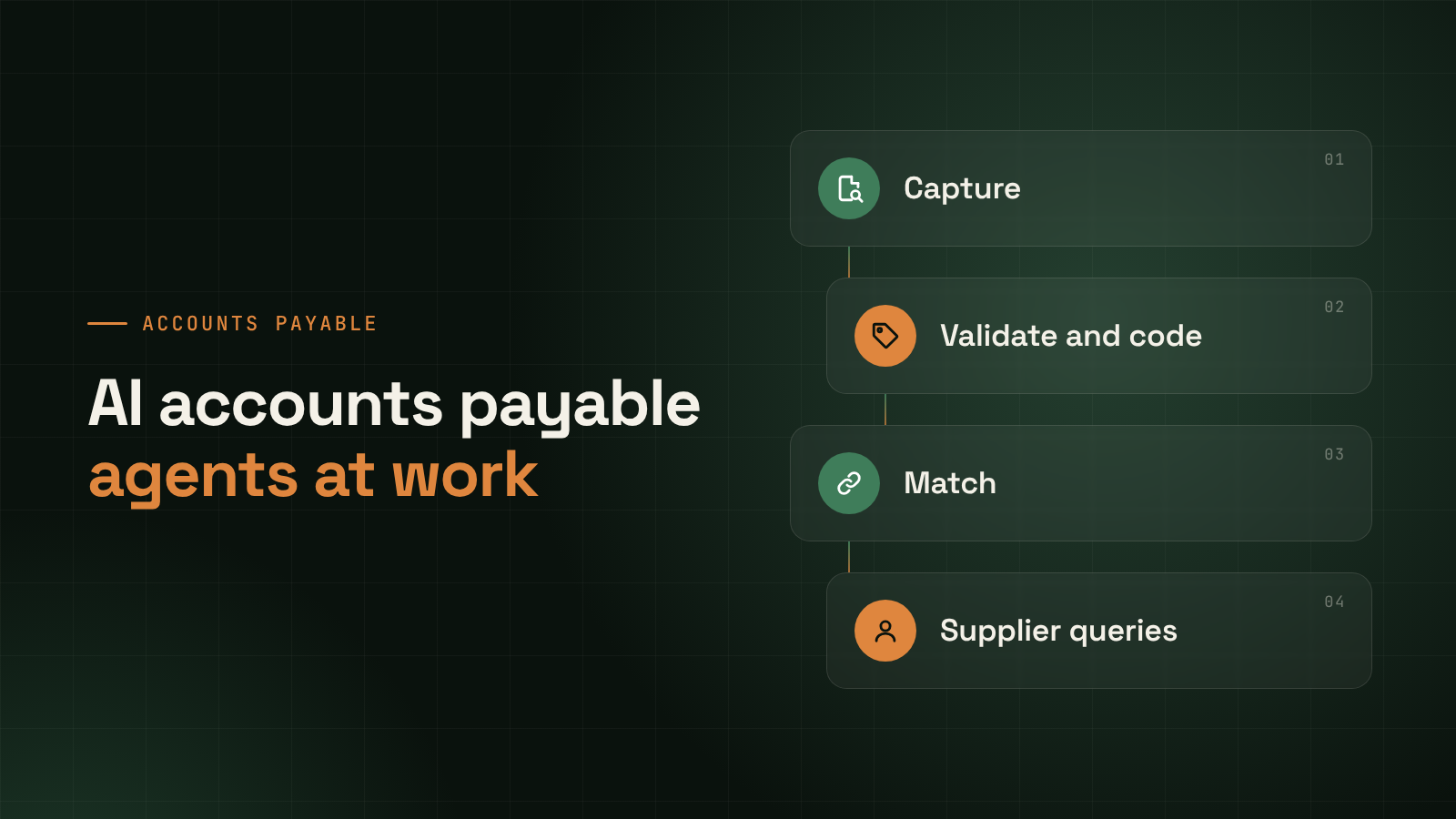
It performs five jobs in sequence: captures invoices from wherever they arrive, validates and codes them against your master data, matches them to the order and receipt, communicates with suppliers and buyers about differences, and posts approved invoices into your ERP. Each hands the next a cleaner input, and a person is called only when judgment is needed.
The agent runs inside your own ERP, so the vendor master, tax codes, cost centers and approval rules it uses are yours. That matters for the audit trail and for anyone who has been burned by a tool that kept its own copy of the truth.
What changes, stage by stage?
Every stage keeps its purpose and loses most of its handling. The table is the shortest honest summary of the change, and it is deliberately specific about where a person remains.
| Stage | Before | After | Still a person’s job |
|---|---|---|---|
| Capture | Invoices arrive in several places and are opened and keyed by hand | One intake; the agent reads PDFs, images and portal documents into structured fields | Supplier onboarding, and unreadable originals |
| Validation and coding | Executive checks tax, supplier details and account coding from memory | Agent checks fields against master data and proposes coding from history, with reasoning | Approving new coding patterns and tax judgment |
| Matching and exceptions | Executive finds order and receipt, compares, emails queries | Agent matches line by line, names the cause of any failure, routes to the owner | Deciding variances, short receipts and unordered goods |
| Supplier communication | Free-form emails and phone calls, tracked in memory | Agent drafts or sends standard queries and logs replies against the invoice | Commercial disputes and relationship calls |
| Approvals and posting | Invoices circulate by email; posting happens late | Approvals route by your matrix with a recorded trail; approved invoices post to the ERP | Approving, and releasing payment |
The pattern is consistent. The reading, looking-up, comparing and chasing move to the agent. The deciding stays where it was.
How does capture change?
Capture stops being a typing job. The agent takes invoices from a mailbox or portal, reads the fields, and presents structured data to the next stage. The practical gain is not accuracy in the abstract but a single measurable intake, so for the first time you can see how many invoices arrived and how long each waited.
Reading is the easy half. What follows is resolving what was read against your records, which is where OCR and AI capture differ most visibly. Capture alone, however good, still leaves the workflow queue in place.
How do validation and coding change?
The agent checks supplier identity, tax details and invoice arithmetic against your master data, and proposes the account and cost-center coding based on how comparable invoices were coded before. It shows the reasoning, so the reviewer confirms rather than constructs. Unusual coding is flagged instead of guessed.
Two cautions apply. First, coding from history copies your past mistakes if nobody reviews it, so early weeks need a person confirming proposals and correcting them. Second, tax treatment is a judgment area. The agent can apply the rules you have configured and flag unusual cases, but it does not decide eligibility questions for you or your advisor.
How do matching and exceptions change?
This is the largest change. The agent compares invoice, order and receipt automatically, posts what agrees within tolerance and, for what does not, states the cause and the owner. Exceptions arrive individually, with the documents attached, instead of as an undifferentiated “invoices on hold” list.
That reframes what a queue is. A queue of a hundred unexplained holds is a mood. A queue of a hundred holds sorted into receipts not posted, rate variances, unit differences and missing references is a to-do list with four owners. The detail of the match itself is in three-way matching automation, and the receipt-timing issue that dominates many plants and warehouses is in GRN invoice matching.
How does supplier communication change?
The agent handles the routine queries: a missing order number, a quote of an invoice already received, a request for a corrected document. It sends them in a consistent form, logs the reply against the invoice and reminds on a schedule. A person steps in only when the conversation turns commercial.
Be skeptical of any promise that an agent will negotiate disputed charges. It can assemble the evidence and state the facts. The commercial decision belongs to someone with the authority to concede or hold.
How do approvals and posting change?
Approvals route by your own matrix, value band and cost center, and the agent chases pending ones and records who decided and when. Approved invoices post into the ERP through supported interfaces, so the books reflect reality sooner and the aging report stops misleading.
Two things stay deliberately outside the agent. It does not approve its own work, and it does not release payment. How posting into SAP works in practice is covered in can AI post invoices into SAP.
What should you measure after the change?
Measure the workflow, not headcount. Teams that model this as a staffing saving usually find the case collapses, because the real gain is speed, visibility and fewer late postings. Four measures tell you whether the change is working.
| Measure | What it shows | Watch for |
|---|---|---|
| Booking latency | Days from invoice arrival to booking | A rise at one stage, such as approvals |
| Clean-match rate, by count and value | Share posting without a human touch | A good count hiding a few large exceptions |
| Exception age by cause | How long each type waits | Receipt delays aging quietly |
| Rework rate | Invoices posted then corrected | Coding proposals accepted without review |
Run them before go-live as a baseline. Without one, any improvement is a claim you cannot support.
What this doesn’t do
- It does not fix a dirty vendor master. Duplicate or incomplete supplier records break matching and compliance reporting before any intelligence applies.
- It does not replace your approval matrix or release payment. Both remain with named people.
- It does not decide tax eligibility. It applies configured rules and flags unusual cases for your team and advisor.
- It does not make late receipts arrive. If stores post weekly, the invoice will correctly wait.
- It does not remove the need for people in AP. It changes their work from keying and chasing to reviewing and resolving.
Frequently asked questions
What is AI accounts payable?
It is the use of software agents to handle repetitive invoice-to-pay work: reading invoices, coding them, matching them to orders and receipts, chasing differences and posting to the ERP. People keep approvals, variance decisions and payment release. The aim is faster, more visible processing, not an unattended payables function.
How is an AI accounts payable agent different from our existing AP software?
Traditional tools typically automate fixed steps and send every irregular case to a queue. An agent also handles the irregular inputs, such as differing descriptions and split deliveries, and explains each exception. It does not replace your approval rules or tolerance policy.
Does it work inside SAP, or alongside it?
The CorpoGents agent is designed to work inside your SAP, using your master data and posting through supported interfaces. That keeps your approval rules, tax codes and audit trail in one place. Your SAP partner should confirm the interface fit for your version and hosting.
Will it replace our AP team?
Not as a design goal. It removes keying, lookups and chasing, and leaves review, resolution and supplier relationships. Teams usually see the benefit as faster booking and fewer late postings rather than a reduction in headcount.
How long before we see a difference?
That depends on your starting position. Clean master data, timely receipts and a written approval matrix shorten it considerably, and gaps in any of them lengthen it. Ask for a baseline measurement first, so improvement is something you can show.
Can it make payments?
No, Payment release is a separate control and stays with your finance team. The agent prepares invoices that are fit to book and fit to pay, and the decision to pay remains human.
What should we ask a vendor before we buy?
Ask to see how it handles a short delivery, a rate variance and an invoice with no order, and who is told in each case. Ask where it runs, what it posts into, and how every decision is recorded. The awkward cases reveal more than the demonstration invoice.
Where to go next
To see how the accounts payable agent runs each of these stages inside your SAP, start with accounts payable automation.
Related reading:
- How AI invoice processing works, the technical stages in detail.
- Three-way matching automation, the match and the control around it.
- How to automate accounts payable, the rollout sequence.