Key takeaways
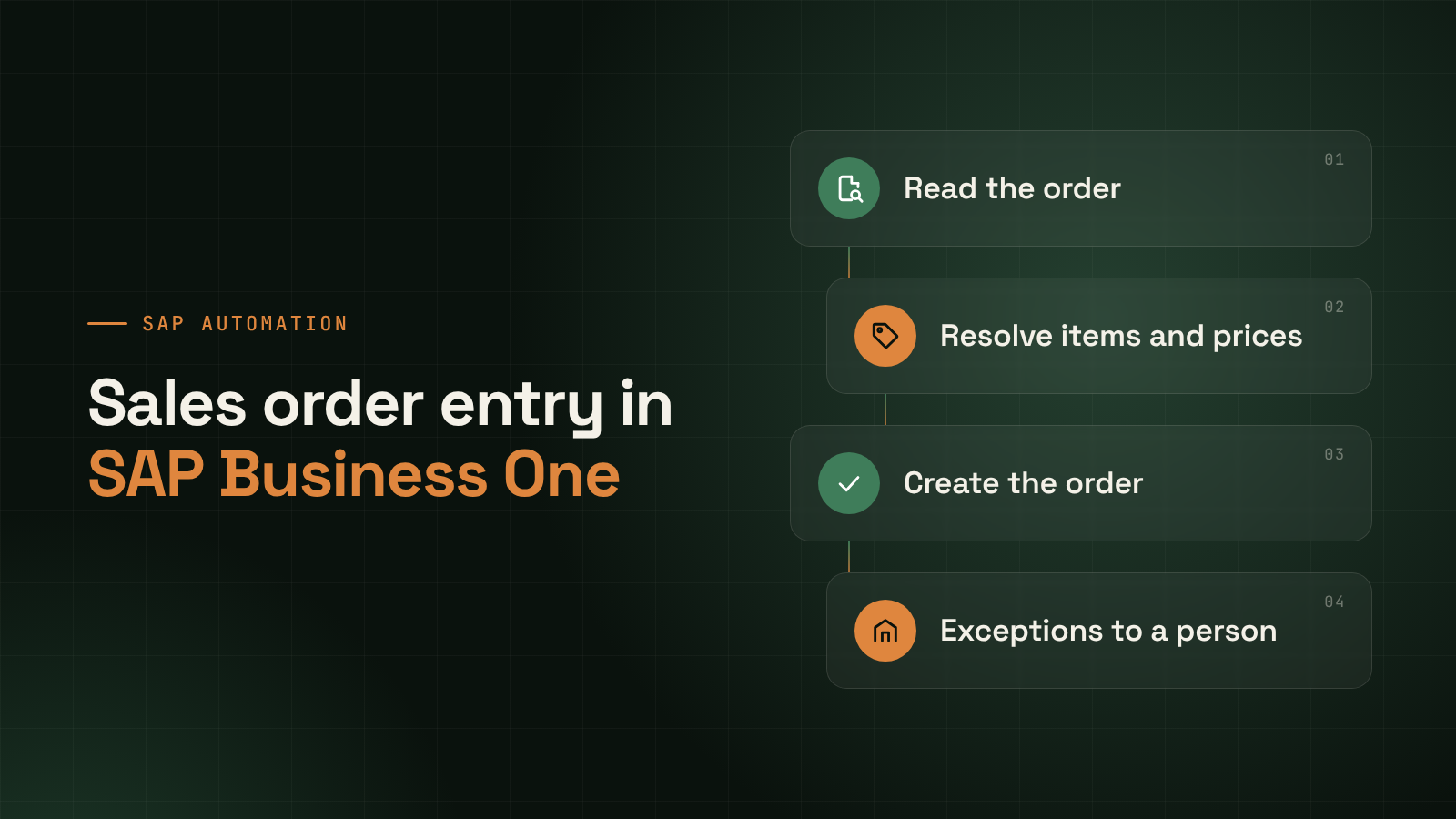
- Sales order automation in SAP Business One means software reads a customer’s order, wherever it arrives and whatever its format, resolves it against your customers, items and prices, and creates the sales order in SAP, with a person handling only the exceptions.
- The hard part is not reading the document. It is resolving what was read: matching a customer’s item description to your item code, applying the right price, and noticing what does not add up.
- SAP documents the Business One Service Layer as an OData API, and its learning material shows a sales order being created with a POST to the Orders endpoint. That is the kind of supported interface an agent should post through, not screen scraping.
- Exceptions are the design, not a failure. Unknown items, price differences and missing delivery dates go to a named person with the reason attached, and nothing posts until they are resolved.
- Start with the repeat customers and standard formats that generate most of your order lines, and expand once the exception queue is understood.
Sales order automation in SAP Business One is the use of software to capture customer orders from email, PDF, spreadsheet or portal, resolve them against your master data, and create the sales order in SAP without retyping, passing to a person only the orders it cannot resolve with confidence.
Consider a mid-market building-products distributor, as an illustration and not a customer. Orders reach the sales desk as emailed PDFs from dealers, spreadsheets from two large accounts, a few photographs of handwritten lists, and messages from a customer portal. Each is retyped into SAP by a sales coordinator who knows that one dealer calls a product by an old name, another sends quantities in cartons, and a third routinely omits the delivery date. The retyping is slow, and the knowledge to do it correctly lives in someone’s head.
If you are earlier in the journey, quote-to-cash automation and cycle time shows where order entry sits in the larger flow, and the quoting agent covers what happens before the order exists.
How does sales order automation work in SAP Business One?
An agent reads the incoming order, identifies the customer, resolves each line to an item in your item master, applies your pricing and terms, and checks the result for anything unusual. If it is confident, it creates the sales order in SAP. If not, it sends the order to a person with the specific reason.
The sequence matters, because errors compound: a misidentified customer carries the wrong price list into every line. So the agent stops at the first thing it cannot settle.
Why do orders arrive in so many formats?
Because customers send orders in whatever suits them, and they will not change for your convenience. Email bodies, PDFs, spreadsheets, scanned or photographed lists and portal exports all occur in the same week, often from the same customer on different days.
| Channel | What it looks like | What makes it hard |
|---|---|---|
| Email body | Free text listing items and quantities | No structure, abbreviations, replies mixed with the order |
| PDF purchase order | Customer’s own template | Layout differs by customer; tables, merged cells, multiple pages |
| Spreadsheet | Columns per customer’s convention | Headers differ, units vary, hidden rows |
| Photo or scan | Handwritten or printed list | Legibility, skew, partial capture |
| Portal or EDI-style export | Structured but customer-specific | Codes are the customer’s, not yours |
A fixed template per customer works until the layout changes. An agent reads the document as a person would, then checks its reading against your data.
What does the agent have to resolve?
Four things, and each can fail independently. The order has to be tied to the right customer, each line to the right item, each price to the right source, and each commitment, such as delivery date and quantity, to something your business can actually fulfill.
| Element | Resolution task | Typical failure | What the agent does |
|---|---|---|---|
| Customer | Tie sender or PO header to a business partner | Several sites, bill-to differs from ship-to | Proposes the match, asks if ambiguous |
| Item | Map the customer’s description or code to your item | Old names, customer part numbers, near-duplicate items | Proposes the item with reasoning; flags low confidence |
| Quantity and unit | Convert to your sales unit | Cartons against pieces, metric tons against kilograms | Converts through your unit table; flags when odd |
| Price and terms | Apply the right price list, discount and payment terms | Customer quotes an old price | Applies your price; flags the difference |
| Delivery date | Read or request a date | Missing, or earlier than lead time allows | Flags; does not invent a date |
Where the agent is unsure, it does not guess and post. The coordinator sees a proposed order with the uncertain element highlighted.
How does the agent create the order in SAP Business One?
Through a supported interface, not by imitating a person at a keyboard. SAP’s Service Layer is documented as an OData API, and SAP’s learning material shows a sales order created by sending a POST request to the Orders endpoint, with a body containing the customer code, due date and document lines. A successful call returns the new order’s details, including its document entry.
The same material describes the steps around it. A session starts with a login request to the Service Layer, supplying the company database name, a user name and a password. The response carries a session identifier, and the lesson explains that unique SessionID and ROUTEID cookies maintain the authenticated state across requests. A request made on an expired or closed session fails with a 401 error.
Three practical points follow.
- Use a dedicated user with the minimum authorizations. The agent should post as a defined SAP user whose permissions you control, so every order it creates is attributable and your authorization rules still apply.
- The order is created in SAP, not beside it. There is no second copy to reconcile, and your team can open and fulfill it as usual.
- Version and hosting matter. SAP’s current learning material uses a versioned path for the Service Layer, and the available interfaces and configuration vary with your release and whether you host on premise or in the cloud. Your SAP partner should confirm what applies to you before an implementation is scoped.
The payables equivalent is in can AI post invoices into SAP.
What happens when an order does not resolve?
It goes to a person, with the order, the agent’s best reading and the specific reason, and nothing posts until it is resolved. The exception is the design. A system that never raises one is either working on perfect inputs or guessing quietly.
Six exception types account for most of what a sales desk sees, and each has a natural owner.
| Exception | Example | Owner |
|---|---|---|
| Unknown customer or site | New ship-to address not in the master | Sales operations |
| Unmatched item | Description fits two items, or none | Sales coordinator |
| Price difference | Order price differs from the price list | Sales manager |
| Credit position | Customer over limit or on hold | Credit control |
| Stock or lead time | Requested date earlier than availability | Planning or sales |
| Duplicate order | Same PO number sent twice | Sales coordinator |
Note the credit row. Whether to release an order for a customer over their limit is a credit decision, so the agent flags it and waits. It does not override a hold. The wider principle of keeping agents inside defined authority is set out in AI agent governance controls.
How do you start?
Start narrow. Take the customers and formats that account for most of your order lines, and run the agent on those with a person reviewing every order for the first weeks. Widen coverage only once you understand the exceptions it raises and why.
Map your channels and formats first, clean the item and customer masters, write down pricing and credit rules, run in review mode until the correction rate settles, then move to exception-only review.
Measure order entry time, the share of orders posting without a touch, exception age by type, and corrections made after posting. Take a baseline before you begin so any improvement is a result and not a claim.
What this doesn’t do
- It does not decide credit. Holds and limit overrides remain with credit control.
- It does not set or change prices. It applies the price list and flags differences, and a person approves any variation.
- It does not clean your masters. Duplicate items and unclear customer records limit accuracy before any intelligence applies.
- It does not guess missing information. An absent delivery date is a question to the customer, not a value to fill in.
- It does not remove your sales desk. It changes their work from retyping to resolving exceptions and handling customers.
Frequently asked questions
Can AI create sales orders in SAP Business One automatically?
Yes, through a supported interface. SAP’s learning material shows a sales order created by a POST request to the Service Layer’s Orders endpoint, and an agent can use that route. Confident orders can post directly, while uncertain ones go to a person first.
Does it need to integrate with SAP Business One, or can it work from outside?
It needs a connection, because the order must be created in your SAP, not beside it. The Service Layer is the interface described here. Whether it suits your setup depends on your release and hosting, so confirm that with your SAP partner before scoping.
What order formats can it read?
Emailed text, PDFs, spreadsheets, scanned or photographed lists and portal exports. Poor scans are flagged for review rather than posted.
How does it know the right price?
It applies the prices, discounts and terms held in your own SAP for that customer, not figures from the order document. If the price on the customer’s order differs, it flags the difference for a person to decide.
What happens if it gets an order wrong?
Orders posted automatically are standard SAP sales orders, so your team can correct them in the usual way. That is why you begin in review mode, track corrections after posting and widen automatic posting only as the correction rate settles.
Will it replace our sales coordinators?
Not as a design goal. It removes retyping and lookups, and leaves exceptions and customer conversations.
Where to go next
To see how the order management agent reads orders, resolves them and posts into your SAP, with exceptions routed to your team, start with sales order automation. If you want to discuss your own order channels, get in touch.
Related reading:
- Quote-to-cash automation and cycle time, on where order entry sits in the flow.
- Can AI post invoices into SAP?, on posting through supported interfaces.
- AI agent governance controls, on keeping agents inside defined authority.