Table of Contents
Key takeaways
- Sales order automation turns an incoming customer order, in whatever form it arrives, into a validated draft sales order in your ERP with no manual keying, leaving release to a person.
- It is not EDI. EDI moves an order two trading partners agreed to structure in advance. This category exists for orders that arrive as email text, PDF attachments and chat messages.
- It is not an order management system. An OMS orchestrates fulfillment after an order exists. This is about how the order comes to exist.
- The boundary is commercial, not academic. A project scoped as “automate orders” runs for a year. One scoped as “order arrives, validated draft staged” ships in a quarter.
- Two conditions decide whether it works: an item master clean enough to resolve customer part numbers, and a credit rule written down rather than applied by feel.
Imagine you run customer operations at a 600-person packaging manufacturer with plants in two countries. From eight in the morning the orders arrive: some typed into the body of an email, some as a PDF on the customer’s letterhead, two from a buyer who has only ever used WhatsApp. Sales order automation is the practice of turning each of those into a validated draft sales order inside your ERP, with no retyping, and leaving the release decision to a person.
That definition is narrower than how the phrase gets used, and the narrowness is the point. This article answers the definitional question and draws the category boundary against EDI, order management systems and quoting tools. The mechanics sit in two companion posts: can AI read customer purchase order PDFs covers reading the document and resolving the items, and how to automate order entry in your ERP covers the checks and the staging. The sales order automation page shows the working shape of it inside a live ERP.
What is sales order automation?
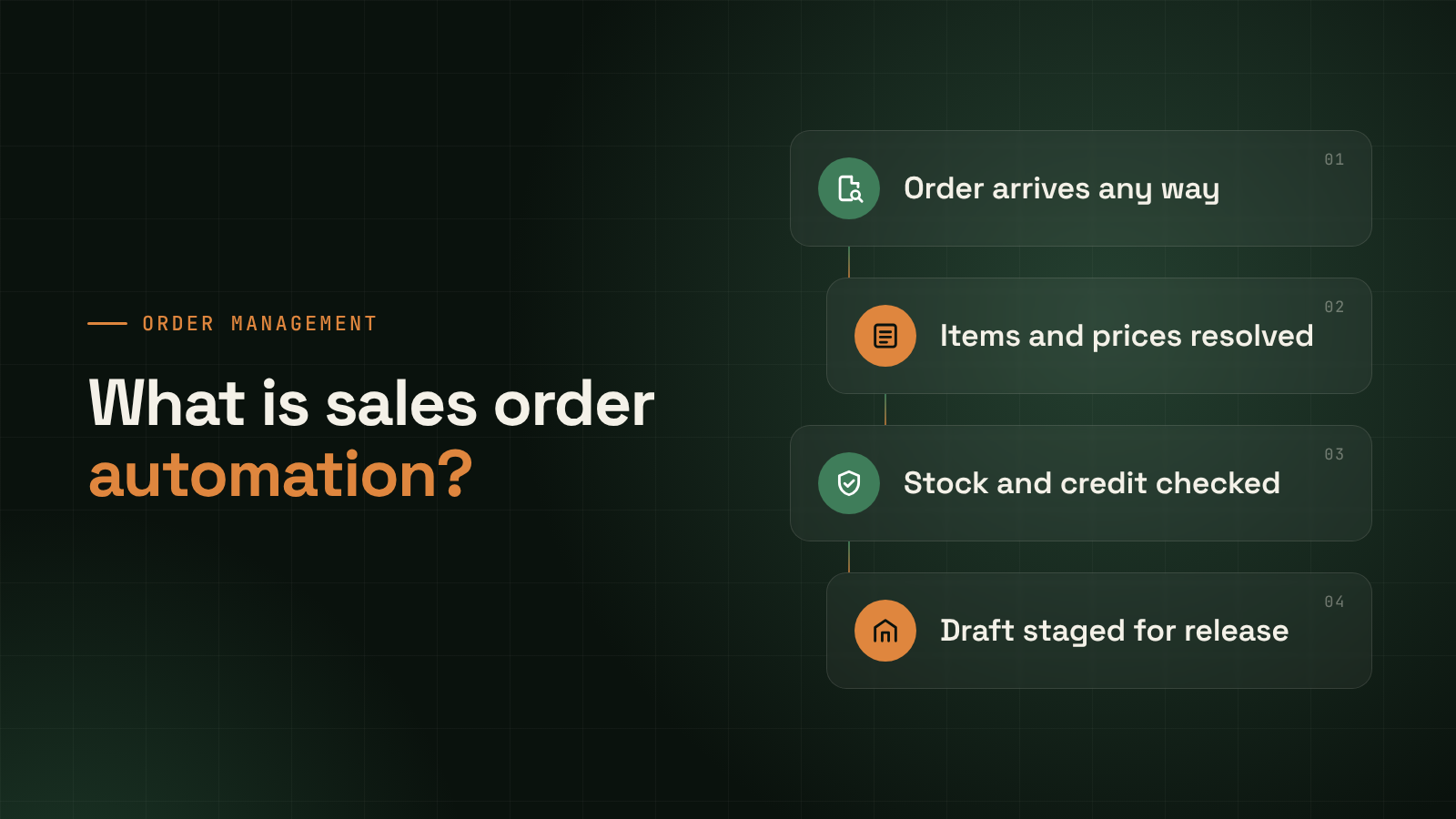
Sales order automation is the practice of converting an incoming customer order into a validated draft sales order in your ERP without manual data entry. The agent reads the order, resolves each line to your item master, applies your pricing, stock and credit checks, and stages a document. A person reviews and releases it.
Four things are inside that boundary: reading the inbound order whatever its format, resolving what the customer wrote to what you actually sell, running the checks a careful person would run, and creating the document through the ERP’s documented interface. Four things are outside it: deciding whether to accept the order, promising a delivery date, allocating stock, and releasing the document.
Keeping those two lists apart is most of what separates a project that finishes from one that does not. “Automating orders” sounds like one thing and is at least five, each owned by a different team, each with its own failure mode. Scope it to arrival through validated draft and you have something a mid-market company can specify, test and run in a quarter.
Why does the category need defining at all?
Because at least three product categories answer to the same phrase, and a buyer collecting quotes ends up comparing an EDI connector, a fulfillment platform and a document reader as if they were substitutes. They solve different problems, and only one addresses an order that arrives unstructured.
The useful test is what each one assumes already exists. EDI assumes a structured order. An order management system assumes an order record. A capture tool assumes someone will key the result into the ERP afterward. This category assumes none of those, and its output is a document the ERP has already accepted.
How is sales order automation different from EDI?
EDI moves an order that is already structured, using a format both sides agreed on in advance and connected once per customer. Sales order automation creates structure where none exists. The two are complements. Where a customer is already on EDI, use EDI. This category exists for the long tail of customers who will never be onboarded.
Structured ordering is a real, mature standard set, and it is worth knowing what the main ones are before deciding a customer could be onboarded onto one.
| Standard | Where it dominates | What it is, in its own words | Source, checked November 18, 2026 |
|---|---|---|---|
| X12 transaction set 850, Purchase Order | North America | It “establishes the data contents of the Purchase Order Transaction Set (850) for use within the context of an Electronic Data Interchange (EDI) environment” and “can be used to provide for customary and established business and industry practice relative to the placement of purchase orders for goods and services” | X12, the standards body, at x12.org |
| UN/EDIFACT | International, strong in Europe and Asia-Pacific | “United Nations rules for Electronic Data Interchange For Administration, Commerce and Transport”, comprising “a set of internationally agreed standards, directories and guidelines” for “the electronic interchange of structured data” “between independent, computerized information systems” | UNECE, UN/EDIFACT Part 1 Introduction, unece.org |
| Peppol BIS Order Only | European public and private procurement networks | A format where “A Buyer submits an Order to the Seller requesting for delivery of goods or services”, describing “a process comprising a Buyer to issue an electronic order without an order confirmation by the Seller” | OpenPeppol, Peppol BIS Order only 3.3, docs.peppol.eu |
Each of those requires the customer to send that format, and that is the whole difficulty. Onboarding a customer onto a structured channel is a commercial negotiation with an IT project attached, rarely worth it for an account that sends nine orders a year. Most mid-market sellers have a few large customers on EDI and a long tail on email, and the tail is where the keying hours go.
How is it different from an order management system?
An order management system orchestrates what happens after an order exists: allocation across warehouses, split shipments, backorders, channel inventory, returns. Sales order automation is upstream of all of it, concerned only with how the order becomes a correct record in the first place.
In most mid-market companies running SAP or a comparable ERP, the ERP already is the order management system. Sales orders, availability, picking, delivery and invoicing live there, and nobody is shopping for a second system to do it again. The scoping consequence is direct. If the pain is “we cannot see inventory across three channels and two warehouses”, that is an OMS or an ERP configuration question and order automation will not touch it. If the pain is “two people spend every morning typing orders and we find the typos at invoicing”, that is this category.
Is sales order automation the same as order-to-cash automation?
No. Order-to-cash is the whole chain from order through fulfillment, invoicing and collection, usually spanning several teams and systems. Sales order automation is one step inside it, the first one. Programs that start by trying to fix the entire chain usually stall before anything reaches production.
| Category | What it assumes already exists | What it produces | Where it sits | Who usually buys it |
|---|---|---|---|---|
| Sales order automation | Nothing but an incoming order in any format | A validated draft sales order in your ERP | Between the customer’s message and the ERP document | Customer service lead, COO, commercial operations |
| EDI or e-ordering | A trading partner agreement and a structured message | An order record created from an agreed format | Between two IT systems, agreed in advance | IT, with a large customer pushing |
| Order management system | An order record already exists | Allocation, fulfillment orchestration, status across channels | After the order, before the shipment | Supply chain or e-commerce operations |
| CPQ or quoting automation | A customer inquiry, before any order exists | A priced, configured quotation | Before the order, on the sell side | Sales leadership |
| RPA scripts | A fixed layout and a stable screen | Keystrokes replayed against the ERP | On top of the user interface | IT, often as a stopgap |
| Order-to-cash program | A set of working steps to connect | Shorter elapsed time across the whole chain | Across every step from order to cash | CFO or transformation lead |
RPA deserves a line of its own because it is the most common thing teams have already tried. A script that replays keystrokes works while the layout holds and breaks the week a customer changes their template. The difference is not sophistication: one approach matches a fixed position on a page, the other reads the document and then checks its reading against your master data. How the wider chain fits together is covered in quote-to-cash automation.
What does the agent actually do, from arrival to draft order?
Five steps, in a fixed sequence, with a defined behavior at each failure point. The order is read, the lines are resolved, the checks run, a draft document is created through the ERP’s documented interface, and anything that failed a check is listed as a named exception for a person rather than guessed at.
Two steps carry the real difficulty: resolution and credit. Resolution means turning “6mm PVC sheet, white, 2440 x 1220” into your item code, which depends on a cross reference the agent builds and remembers per customer. Credit means deciding what happens when an order would take a customer past their limit, which most ERPs treat as a warning a user may accept. An agent has no basis for accepting a warning, so the rule has to exist in writing first. Both are covered in how to automate order entry in your ERP, with the SAP Business One worked example in automating sales order entry in SAP Business One.
What has to be true before this works?
Three things, none of them about the software. An item master clean enough that a customer description resolves to one code. A credit and pricing rule written down and agreed by finance. A named person who owns the exception queue from day one, because exceptions are the output of a working system, not a defect.
A fourth helps: a baseline. For two weeks, count orders received, lines per order, time from arrival to order in the system, and credit notes raised for a wrong item, quantity or price. Without it, nobody can tell six months later whether the thing worked.
What should you expect to change in the first quarter?
Elapsed time first, error rate second, headcount last and least. Orders that used to sit until the afternoon get staged within minutes. Typos at the keying step largely stop. What surprises most teams is the third effect: the credit and pricing decisions that were quietly being waved through now appear in a queue with somebody’s name on them.
That is uncomfortable, and it is the point. The hours in manual order entry were never mostly typing. They were lookups, interruptions and judgment calls made under pressure by whoever was at the desk. Automation removes the cheap part and makes the expensive part visible. Teams that treat the exception queue as the product get value from this. Teams that treat it as a defect go back to typing.
What this doesn’t do
- It does not accept the order. Acceptance, pricing approval and the delivery date stay human decisions with commercial consequences.
- It does not replace your ERP or your order management. It writes into the system you already run, through its documented interface, and changes nothing about fulfillment.
- It does not replace EDI. Where a structured order already arrives, that path stays. This one serves the customers who will never be onboarded.
- It does not fix a disordered item master. Duplicate codes, dead items and inconsistent units make resolution unreliable, and automation reproduces the confusion at speed.
- It does not remove the need for a credit policy. It applies the rule you wrote, and holds the order where no rule exists rather than inventing what finance would have said.
Frequently asked questions
What is sales order automation, in one sentence?
It is the practice of turning an incoming customer order into a validated draft sales order in your ERP without manual keying, with stock, pricing and credit checks applied before the document is staged. Release stays with a person, and nothing after the ERP record is in scope.
Is sales order automation the same as EDI?
No. EDI carries an order already structured in a format both parties agreed in advance, such as X12’s 850 transaction set in North America or a Peppol order in Europe. Sales order automation produces that structure from an email, a PDF or a chat message, for customers who will never be onboarded onto a structured channel. Most sellers end up running both.
Do we need an order management system as well?
Usually not in the mid-market, because the ERP already performs that role. A separate OMS earns its place when you orchestrate fulfillment across several channels, warehouses and carriers. If the problem is that orders are retyped by hand, an OMS does not address it, since it begins after the order record exists.
Which ERPs does this work with?
Any ERP that exposes a documented API for sales documents. SAP Business One uses its Service Layer, with the older DI API still in use on some installations, while SAP S/4HANA and SAP ECC expose their own sales order interfaces. The approach is the same in each case: write through the documented interface so the ERP’s own validation still runs.
Does it handle multiple legal entities, currencies and languages?
Yes, with configuration per entity. Separate company databases carry their own item masters, price lists and numbering, so cross references and rules are maintained per entity rather than shared. Orders in a second language are readable, and a currency the customer master does not hold should raise an exception rather than trigger a silent conversion.
How does it deal with country-specific tax and e-invoicing rules?
Indirectly, by getting the order data right. Tax codes, customer tax status and ship-to country are set at order entry and flow into the invoice, which in a growing number of countries is reported to a tax authority rather than simply sent. The agent applies your ERP’s tax determination rather than deciding tax treatment itself, and an unresolvable tax code is an exception, not a default.
Will it replace the people doing order entry?
It changes what they do rather than how many there are. The keying and the lookups go. The exception queue, the customer conversations and the credit and pricing judgments stay, and those take more skill than typing.
Where to go next
To see how the order management agent reads an incoming order, resolves it against your item master and stages a validated draft in your ERP, start with sales order automation, or read how it works for the shape of a deployment. Three related reads:
- Can AI read customer purchase order PDFs covers the hardest step, resolving customer part numbers and descriptions to your own item codes.
- How to automate order entry in your ERP sets out the checks that run before an order is staged and where automation should stop.
- AI agent governance, approvals and audit trails explains how to classify agent actions by consequence, which is how the release decision gets settled.