Table of Contents
Key takeaways
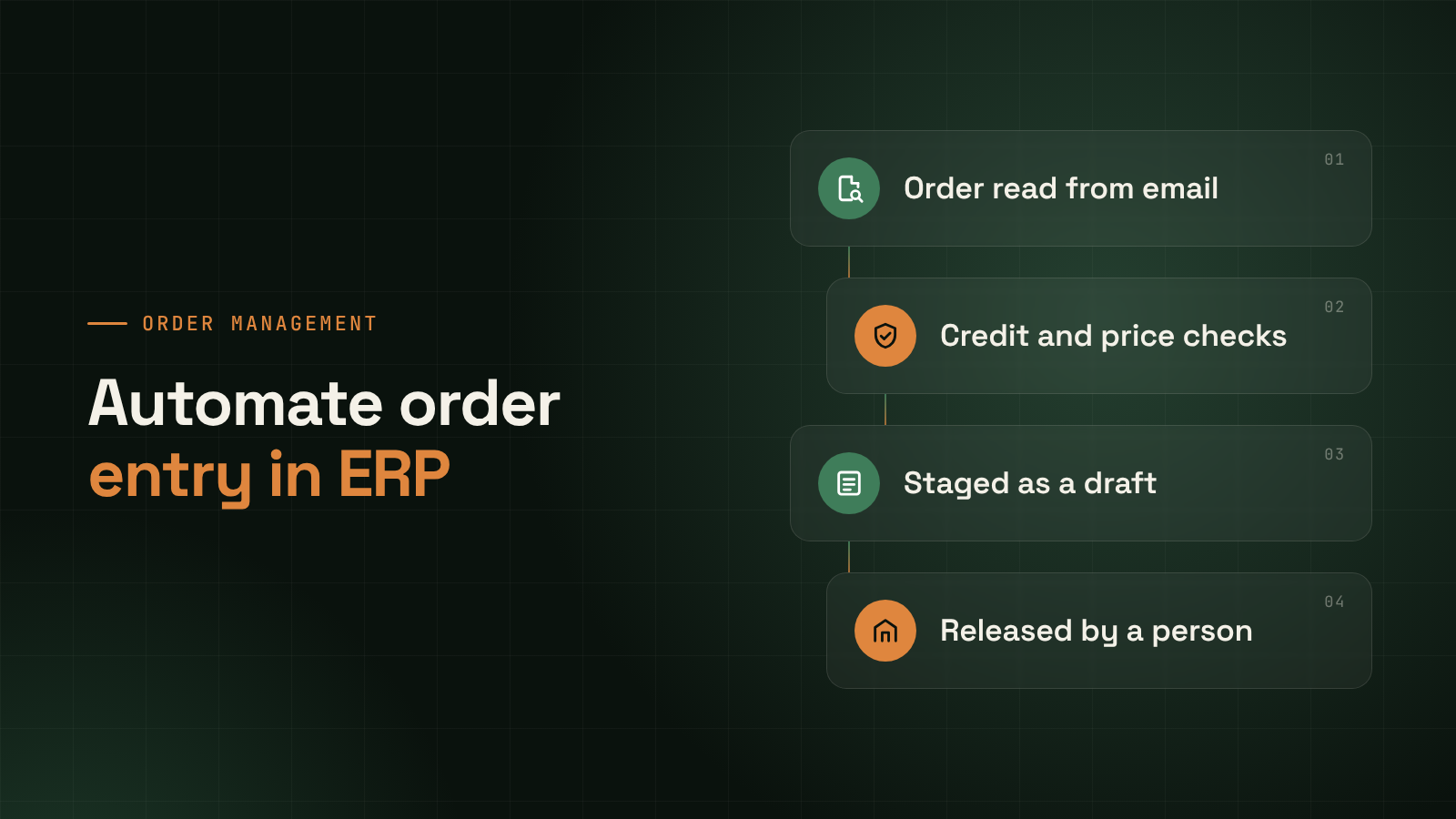
- Sales order automation means turning an incoming customer order into a validated draft sales order in your ERP, with no manual keying, and leaving release to a person.
- The integration is the easy half. The checks that run before the order is staged decide whether automation saves time or creates rework downstream.
- Use the documented API, not the database. SAP Business One exposes the Service Layer, which SAP describes as “an application server that provides web access to SAP Business One services and objects”, and every comparable ERP has an equivalent.
- Most ERPs treat a credit limit as a warning a user can accept. An agent has no judgment to apply to a warning, so the credit rule has to be written down before anything is automated.
- Stage orders as drafts, not posted documents. A draft with a wrong price costs two minutes. A posted order with a wrong price becomes a credit note.
Imagine you run customer service at a 250-person industrial supplies distributor with branches in three countries. Orders arrive all morning by email, and two people spend until mid-afternoon typing them into the ERP. The orders are not hard. They are just numerous, and the same customer sends the same twelve lines every month. Sales order automation is the practice of taking a customer order that has already been read and resolved, running it against your stock, pricing and credit rules, and creating a draft sales order a person only has to release.
The step before this one, working out which of your items the customer actually means, is covered in can AI read customer purchase order PDFs. This article starts where that one stops. The mechanics are ERP-neutral, with SAP Business One and SAP S/4HANA as the worked example because that is where most mid-market deployments sit.
What does sales order automation actually mean?
It means a specific, bounded thing: a resolved customer order becomes a validated draft sales order inside your ERP without anyone retyping it. The agent does the keying, the lookups and the checks. It does not decide whether to accept the order, confirm a delivery date or release the document.
Teams get into trouble when they describe this as “automating orders”. That phrase covers document reading, order entry, scheduling and invoicing at once, and a project scoped that way never finishes. Order entry is narrower: the input is an order whose lines already map to your item master, and the output is a draft document with every field populated, every check run and the exceptions listed. Holding that boundary is most of what separates a project that ships in a quarter from one still in design a year later.
Where does the time in manual order entry actually go?
Not in the typing. Keying twelve lines takes a few minutes. The hours disappear into lookups, checks and the interruptions around them: finding the right price list, checking stock, noticing that a customer is near a credit limit, and asking someone what to do about it.
| Step in manual order entry | What it costs | What an agent can do | What stays with a person |
|---|---|---|---|
| Keying header and lines into the ERP | Minutes per order, and typos that surface later as credit notes | All of it, from a resolved order | Nothing, once resolution is reliable |
| Finding the right price list or contract price | An interruption per order, worse for contract customers | Read the price the ERP would apply and compare it to the order | Deciding what to do when the two disagree |
| Checking stock and lead time | Switching between screens, often twice | Report availability per line at the moment of staging | Promising a date to the customer |
| Checking the credit position | Often skipped under pressure, which is the real cost | Compute the position and apply your written rule | Approving an order that breaches the rule |
| Chasing a missing detail | Hours of elapsed time, spread over a day | Produce a specific question with the document attached | Asking the customer |
Automation removes the keying and the lookups, which are the cheap part, and makes the expensive part visible: the decisions nobody had time to make properly. That rarely feels like a win in week two, when the exception queue fills with credit situations the team had been quietly waving through.
How does an agent get an order into the ERP?
Through the documented API, never the database. In SAP Business One that is the Service Layer, which SAP’s own training material describes as “an application server that provides web access to SAP Business One services and objects”, built on “core protocols, such as HTTP and OData”, with the DI API still in use on older installations. SAP S/4HANA exposes sales order interfaces of its own, and every comparable mid-market ERP has an equivalent.
Writing an order straight into the tables bypasses every rule the ERP applies. It produces documents that look right and behave wrongly, and no vendor will support the result. If a value cannot be set through the documented interface, that is information about the design, not an invitation to go around it. Two further points: an order is one unit of work, so header and lines are created together, and the gap between what your ERP accepts and what a vanilla installation accepts is usually wider than anyone remembers. That gap is custom fields and the logic behind them.
How do custom fields and validations fit in?
They are the reason two deployments that look identical behave differently. Most mid-market installations have been live for years and carry extra fields on the order header and lines: a customer reference, a project code, a dispatch instruction. In SAP Business One these are user-defined fields, often paired with transaction notification logic.
Three questions settle the design. Which fields are mandatory in practice rather than in the field definition, since an agent that leaves a habitually enforced field empty gets a rejection message nobody can read. Where each value comes from: the customer’s document, the customer master, or a rule your team holds in their heads, which is the dangerous one. And what blocks the document from being added, because systems this old carry logic nobody has documented since its author left. Test against a copy of your live database, not a demo company.
What should the agent check before staging a draft order?
Everything a careful person would check, in a fixed sequence, so the same order produces the same result on a Tuesday as on a Friday. Each check gets one source of truth and one defined behavior on failure. A check with no defined failure behavior is not a check, it is a hope.
| Check | Source of truth | On failure |
|---|---|---|
| Customer is active and not on hold | Customer master | Stop. Do not stage the order. Notify the account owner |
| Every line resolves to a real item | Item master, through the stored customer cross reference | Stage the resolved lines, hold the rest as exceptions |
| Unit of measure and pack size convert | Item master | Exception. Never round or assume |
| Price matches the quotation, contract or price list | Price lists and open quotations in the ERP | Stage with the ERP price and flag the difference. Never accept the customer’s price silently |
| Quantity is available or has a credible lead time | Stock and open purchase orders | Stage with availability shown per line. Do not promise a date |
| Credit position allows the order | Customer balance and credit limit | Apply the written rule, below |
| Delivery address is one you hold for this customer | Customer master ship-to addresses | Exception. A new address is a control question, not a data entry task |
| The order is not a duplicate of one already staged | Open orders, matched on the customer’s order number | Stop and link to the existing order |
The duplicate check earns its place. Customers resend orders, forward them to two mailboxes and attach the same document to a chasing email a week later. Without it, automation turns a harmless habit into double shipments.
What does the ERP’s own credit check do, and where does it stop?
It warns. SAP Business One is a fair example: when a sales document would take a customer past the credit limit on the business partner record, and the restriction is switched on in general settings, it shows “Customer has exceeded credit limit”, and the user can “choose Yes to add the document and by that to have the customer exceeding the defined credit limit”. The native check informs a decision. It does not make one.
That is fine for a person and useless for an agent, which has no basis on which to click Yes. The policy has to exist outside the warning, in words your finance lead has agreed: what happens to an order that breaches the limit, who can approve a breach, and whether an overdue balance changes the answer even when the limit is not breached. Leave that unwritten and you have automated a judgment nobody made. Which agent actions need which kind of authorization is covered in AI agent governance, approvals and audit trails.
Should the order be staged as a draft or posted directly?
As a draft, until the numbers justify otherwise. Most ERPs have a holding state for exactly this. SAP Business One lets you “save sales and purchasing documents, payments, checks for payments and inventory documents as drafts” so you can “process them at a later point in time”, and notes that this “is not the same as a release procedure”; its approval procedures create drafts too.
The reason is asymmetry. A staged draft with a wrong price costs somebody two minutes. A posted order with a wrong price becomes a picked, shipped, invoiced wrong price, then a credit note and an awkward conversation. That gap justifies a review step even when the agent is usually right, which is how payables design treats posting authority too, as set out in can AI post invoices directly into SAP. Direct posting becomes defensible later for a narrow band of orders: repeat lines, established customer, inside credit, in stock, at list price, under a value threshold. Earn that band with months of evidence rather than assuming it at go-live.
Does order data quality matter beyond the order?
Yes, because the order is where the invoice is born, and invoices in a growing number of countries are reported to a tax authority rather than simply sent. An error introduced at order entry used to surface at invoicing. Increasingly it surfaces at a government gateway, where it fails outright.
| Where | What the regime requires | Source, checked November 18, 2026 |
|---|---|---|
| European Union | Under the VAT in the Digital Age package, “Digital Reporting Requirements will affect cross-border B2B transactions from July 1, 2030”, built on e-invoicing, with member states that run a domestic real-time reporting obligation required to align with the EU model by January 2035 | European Commission, Taxation and Customs Union |
| United Kingdom | Under Making Tax Digital, “all VAT registered businesses need to keep digital records” and submit returns “using compatible software” | HMRC, VAT Notice 700/22, gov.uk |
| Saudi Arabia | E-invoicing runs in two phases: generation, enforceable “as of December 4th, 2021”, and integration, “enforceable starting January 1st, 2023 in waves”, which adds “the integration of these electronic solutions with ZATCA’s systems” | ZATCA, e-invoicing roll out phases |
None of this is tax advice, and none of it is a reason to automate order entry on its own. It is a reason to care about the data the order carries, since customer tax status, ship-to country and item classification are set at order time and reported later.
What should you measure?
Four numbers, and the first is not the share of orders automated. Measure the share of order lines staged without a person touching them, split by customer, because the distribution is where the work is. Measure elapsed time from order arrival to draft staged, which is what customers feel. Measure the error rate on released orders, specifically wrong item, quantity, unit or price, against credit notes raised. And measure the age of the exception queue, because a queue that grows is automation that moved work rather than removing it.
What this doesn’t do
- It does not accept the order. Acceptance, pricing approval and the delivery date stay human decisions with commercial consequences.
- It does not override your credit policy. It applies the rule you wrote, and holds the order where no rule exists rather than guessing what finance would have said.
- It does not confirm availability. It reports what the ERP shows at the moment of staging. Stock moves between staging and release, and allocation is a separate decision.
- It does not repair a disordered item master. Duplicate codes, dead items and inconsistent units make resolution unreliable, and automation reproduces that confusion faster.
- It does not replace EDI for customers already on it. Where a structured order arrives, use it. This path exists for the long tail that will never be onboarded.
Frequently asked questions
What is sales order automation, in one sentence?
It is the practice of turning an incoming customer order into a validated draft sales order in your ERP without manual keying, with stock, pricing and credit checks applied before the order is staged. Release stays with a person. It sits between document reading and fulfillment.
How do I automate order entry without changing how my team works?
You mostly cannot, and that is the point. The keying disappears, but the checks that were skipped under time pressure become an exception queue somebody has to own from day one. Expect the first two weeks to surface credit and pricing decisions your team had been making informally.
Which ERPs does this work with, and how does it connect?
Any ERP that exposes a documented API for sales documents. SAP Business One uses the Service Layer, a REST interface built on HTTP and OData, with the DI API on older installations, while SAP S/4HANA and SAP ECC expose their own sales order interfaces. Use the documented interface in every case, because writing orders straight to the database bypasses the ERP’s own validation.
Will it work with our custom fields and customizations?
Usually yes, and this is where the implementation effort sits. Extra fields on the order header or lines can be populated by the agent, but each one needs a defined source, and any logic that blocks a document has to be found first. Test against a copy of your live database, because a demo company carries none of your history.
What happens when the customer is over their credit limit?
In most ERPs the native behavior is a warning a user can accept, which is not a decision an agent can make. Your credit rule has to be written down separately: whether the order is held, staged with a flag or stopped, who can approve a breach, and whether an overdue balance changes the answer. The agent then applies that rule consistently, which is usually stricter than what was happening before.
Does this work across multiple legal entities, currencies and tax regimes?
Yes, with setup per entity. Separate company databases carry their own item masters, price lists and numbering, so cross references and rules are maintained per entity rather than shared. Currency comes from the customer order with the rate applied by your ERP policy, and a currency the customer master does not hold should raise an exception rather than a silent conversion.
Where to go next
To see how the order management agent reads an incoming order, validates it and stages a draft in your ERP for release, start with sales order automation, or read how it works for the shape of a deployment. Three related reads:
- Can AI read customer purchase order PDFs covers the step before this one, resolving customer part numbers to your item master.
- Automating sales order entry in SAP Business One with AI agents is the SAP Business One worked example, including confidence thresholds.
- AI agent governance, approvals and audit trails sets out how to classify agent actions by consequence, which is how the release decision should be settled.