Table of Contents
Key takeaways
- SAP Business One ships three separate external reconciliation routes, Reconciliation, Manual Reconciliation and Bank Statement Processing, and SAP’s own guidance is to pick one per bank account and stay with it.
- The automatic rules match on amount, with optional tolerances on date and on the Ref. 1, 2 and 3 fields. That is a genuinely capable engine for one-to-one transactions.
- The semi-automatic route does something different and more useful on messy data: it ranks recommendations by amount, date and reference, with a deviation limit on each, and leaves the decision with you.
- What the native rules cannot do is read a bank narration. A bank transfer narration carrying a truncated customer name and no invoice number has nothing for Ref. 1 to match against.
- The residue is predictable: part payments against several invoices, tax withheld by the customer, bank charges netted off, and receipts with no remittance advice. That residue is where the month-end hours go.
Most finance heads running SAP Business One have had the same conversation with their consultant. The bank reconciliation module works. It has been configured. And the controller is still sitting with a spreadsheet on the second working day of the month, matching receipts by eye.
Both things are true. The honest version of this article is not that the native module is weak: it is that the module solves the half of the problem that was never the expensive half.
What is bank reconciliation in SAP Business One?
Bank reconciliation in SAP Business One is the process of matching bank statement lines to the payments and journal entries recorded for a bank account, so that anything left unmatched can be investigated. SAP offers three routes: Reconciliation, Manual Reconciliation and Bank Statement Processing. SAP’s documentation advises using one method per account, because mixing methods on the same account can create duplicate reconciliations.
That choice is not cosmetic. SAP states plainly that where bank statement processing is activated, external reconciliations must be performed inside that functionality, and the standard manual function should not be used for the same account.
| Route | Availability | What it is for | Where it strains |
|---|---|---|---|
| Reconciliation | All localizations | Importing or keying statement lines and matching them against open G/L transactions, with Manual, Automatic or Semi-Automatic matching | Depends entirely on the statement carrying matchable values |
| Manual Reconciliation | Limited localizations only | Entering the statement ending date and balance, then ticking off transactions until the difference is zero | Tick-and-close, no matching logic; the system only lets you reconcile when the difference reaches zero |
| Bank Statement Processing (BSP) | All localizations | Processing statements end to end, generating incoming and outgoing payments and performing internal and external reconciliation | SAP’s own note: the key to its efficiency is the setup; automation is directly related to the accuracy of the settings |
The third row is the one worth sitting with. BSP is the most capable of the three, and SAP says its automation is directly related to how accurately it has been configured. Capability is not the constraint. Match-ability of your incoming data is.
How does automatic matching actually work?
The automatic option matches on amount first. Reconcile by Totals Only pairs transactions with identical amounts, with an optional Variation in Days so the dates need only fall within a set gap. Totals with Restrictions adds conditions on the Ref. 1, 2 or 3 fields, comparing a defined number of trailing characters, plus posting or due date. A Reconciliation Difference can post small gaps to a nominated account.
Read that back as a requirement rather than a feature list, and it says: the statement line must carry either the exact amount of one open item, or a reference string that overlaps the trailing characters of a reference you stored. Where both hold, the engine clears the line without a human. Where neither holds, there is nothing to evaluate.
The semi-automatic route is the more interesting one, because it concedes the point. Rather than clearing matches, it generates ranked recommendations using three parameters, Amount, Date and Reference, each carrying a priority weighting of high, medium or low, and each with a Max. Deviation that caps how far the values may differ. Amount cannot be skipped. The output is a ranked proposal; the judgment stays with the accountant.
That design is correct, and it is the design worth copying. The failure mode on bank data is not slowness, it is a confident wrong match that someone has to find three months later.
Why does so much still land in the exception list?
Because incoming receipts often arrive carrying nothing the rules can use. A domestic transfer or instant-payment credit reaches the statement as a narration string with a truncated payer name, a bank-generated transaction reference and no invoice number. No amount equality, no reference overlap, so no match, not a configuration failure, an input one.
The recurring residue is small in number and heavy in effort:
- One payment, many invoices. A dealer settles eleven invoices with a single transfer. Amount matching compares one line to one open item, so a one-to-many allocation is not a tolerance problem the engine can widen its way out of.
- Tax withheld at source by the customer. In many countries a customer must withhold tax on certain payments, so the receipt is short by the withheld amount by design. Posting the gap to a reconciliation difference account closes the line but loses the withholding, which then has to be unpicked when the certificate arrives.
- Bank charges and forex differences netted off. The statement shows the net; your ledger shows the gross.
- Part payments and short payments. A disputed deduction looks identical to a short payment on a bank statement. Only the correspondence tells them apart.
- Statements that arrive as PDFs. Plenty of banking relationships, in many markets, still deliver a PDF or a bespoke CSV rather than a clean structured feed, which puts a conversion step ahead of any matching at all.
Illustrative example: three open invoices total $12,000. The customer deducts 2% withholding tax ($240) and pays $11,760 in a single transfer. No single invoice has that amount, so a rule that matches on identical amounts finds nothing, and the bank line sits in the exception list until someone works out which invoices it settles and why it is short.
None of these is a reason to criticize the module. They are cases where the information needed to make the match does not exist inside the statement line.
What does a reconciliation agent add on top?
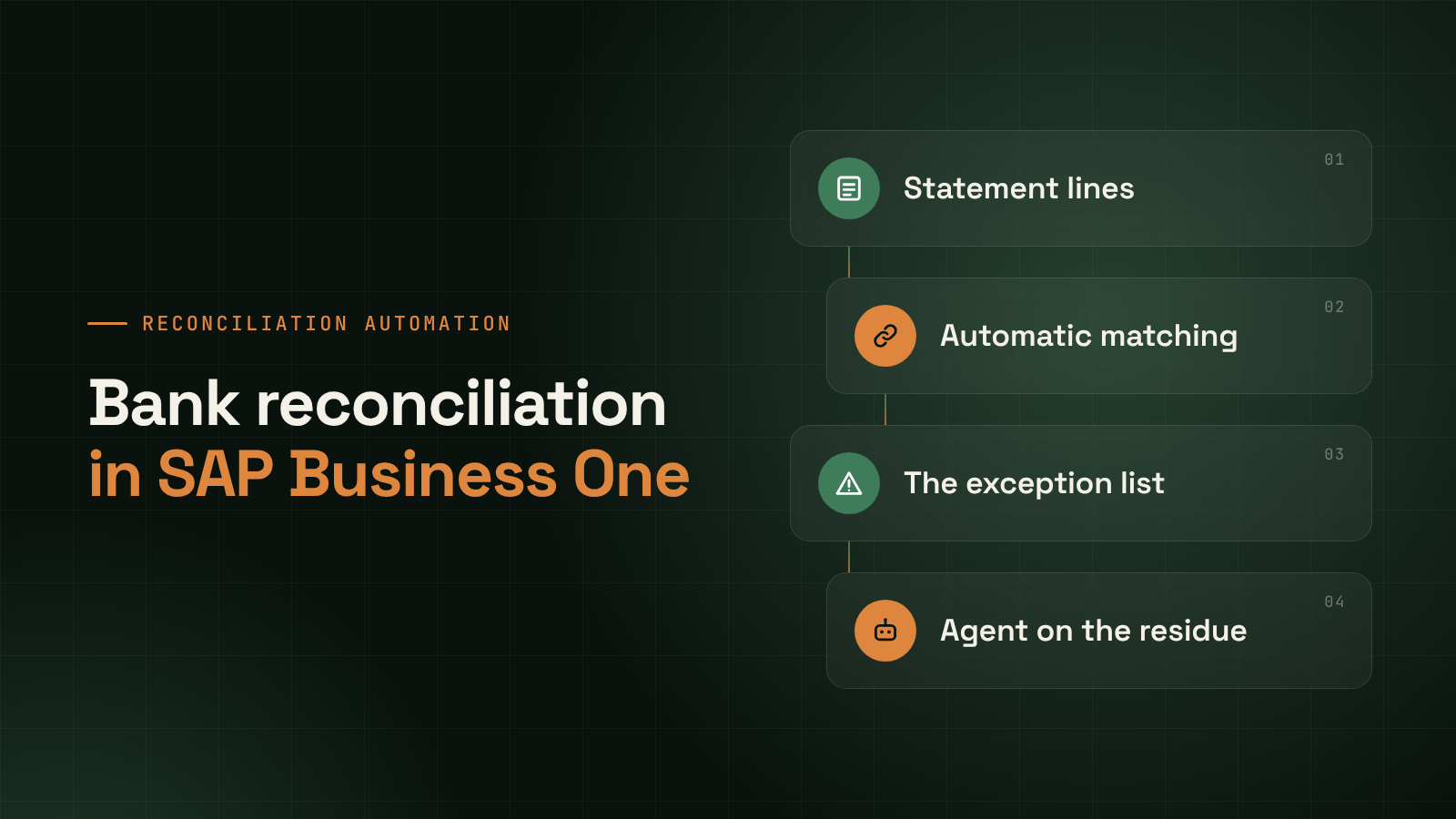
It works on the layer underneath the rules: reading the narration, resolving the payer, and proposing an allocation across several open invoices rather than a single pairing. The reconciliation agent reads the statement text, identifies the customer from partial names and historical payment behavior, splits a lump-sum receipt across open items, flags the short-paid portion as withholding tax or a deduction, and presents each proposal with its reasoning for approval.
The sequence matters: native rules first, agent second. Anything the automatic or semi-automatic engine can clear cleanly should be cleared there, because deterministic matching is cheaper, faster and easier to audit than an inferred one. The agent earns its place on the residue: the lines that reach a human today.
The native rules run first and stay in place; the agent works on what they leave behind, and stages each proposed match for approval before anything is posted.
| Native automatic / semi-automatic | Reconciliation agent | |
|---|---|---|
| Matches on | Amount, date tolerance, Ref. 1/2/3 trailing characters | The above, plus narration text and payer history |
| One payment to many invoices | Not addressed by amount matching | Proposed allocation across open items |
| Short payment | Posted as a difference, if configured | Flagged with a reason: withholding, deduction, dispute |
| PDF or non-standard statement | Needs conversion before import | Read and normalized first |
| Output | A cleared line, or a ranked recommendation | A proposed match with its evidence, for approval |
| Posting | Into SAP Business One | Into SAP Business One, after approval |
What this doesn’t do
- It does not post unapproved matches. A proposal with reasoning is the output. Clearing the item stays an act someone in finance performs.
- It does not replace the native reconciliation function. It sits alongside it. Deterministic matches should keep clearing through the SAP rules.
- It does not decide tax treatment. Identifying a gap as a likely withholding-tax deduction is a flag for your team, not a determination.
- It does not fix the master data. Duplicate customer records and inconsistent naming degrade payer resolution exactly as they degrade reference matching.
- It does not improve what the bank sends. A better feed from your bank remains the single highest-return change available, and it has nothing to do with AI.
Frequently asked questions
Does SAP Business One do bank reconciliation automatically?
Partly. Its automatic rules match pairs of transactions with identical amounts, optionally narrowed by reference and date, and can post small differences to a reconciliation difference account. Semi-automatic mode ranks suggested matches for an accountant to confirm. Anything that needs several lines combined, such as one payment against many invoices, stays in the exception list.
What is the difference between Reconciliation, Manual Reconciliation and Bank Statement Processing?
Reconciliation matches statement lines against open G/L transactions with Manual, Automatic or Semi-Automatic logic, and is available in all localizations. Manual Reconciliation is a balance-driven tick-off available in limited localizations, which only permits reconciliation once the difference is zero. Bank Statement Processing is the fullest route, handling statements end to end including payment generation. SAP advises using one of them per account, not several.
Why do so many of our receipts stay unmatched even after configuration?
Usually because the statement line does not contain the information a rule needs. A single transfer settling several invoices, a receipt short by withheld tax, and an instant-payment credit with a truncated payer name and no invoice reference all defeat amount-and-reference matching regardless of how carefully the tolerances are set.
Can an AI agent post reconciliation entries directly into SAP Business One?
It posts into SAP Business One once a person has approved the proposal. The design deliberately separates proposing a match from clearing it, because an incorrectly cleared bank item is far more expensive to unwind than an unmatched one is to review.
Does this handle tax withheld by our customers?
It flags the short-paid portion and identifies the likely reason, so the receipt can be allocated in full against the invoice with the deduction isolated rather than absorbed into a difference account. The tax treatment and the matching of the eventual withholding certificate remain with your finance team.
Will it work if our bank sends statements as PDFs?
Yes, provided the statement is consistent enough to read reliably. The file is read and normalized before matching begins. That said, a structured feed from the bank is better on every dimension, and worth pursuing in parallel rather than designing around permanently.
How long before it is useful?
It is useful once it has seen enough of your own payment history to resolve payers confidently, which is a function of your transaction volume rather than a fixed calendar. Early weeks lean more on explicit references; accuracy on narration-only receipts improves as the history builds.
Does SAP Business One do bank reconciliation automatically?
Use one method per bank account. SAP’s help states that once Bank Statement Processing is activated, external reconciliations must be done within it, and that using more than one method on the same account can create duplicate reconciliations. Decide per account, and confirm the details for your SAP Business One version.
Where to go next
The fuller picture sits on ledger and tax reconciliation, which covers how matching, tolerance bands and exception handling work across your ledgers inside SAP: bank, vendor and tax alike.
Three related reads:
- How does AI reconciliation matching actually work?: fuzzy matching, tolerance bands, and why a proposed match beats an auto-posted one.
- GST reconciliation: the complete guide for Indian finance teams: the same discipline applied to the statutory side, using India’s GST as the worked example.
- Can AI post invoices directly into SAP?: what posts, what waits, and what the audit trail records.